
Windows User Space Emulator


A high-performance Windows process emulator that operates at syscall level, providing full control over process execution through comprehensive hooking capabilities.
Perfect for security research, malware analysis, and DRM research where fine-grained control over process execution is required.
Built in C++ and powered by the Unicorn Engine.
## Key Features
* 🔄 __Syscall-Level Emulation__
* Instead of reimplementing Windows APIs, the emulator operates at the syscall level, allowing it to leverage existing system DLLs
* 📝 __Advanced Memory Management__
* Supports Windows-specific memory types including reserved, committed, built on top of Unicorn's memory management
* 📦 __Complete PE Loading__
* Handles executable and DLL loading with proper memory mapping, relocations, and TLS
* ⚡ __Exception Handling__
* Implements Windows structured exception handling (SEH) with proper exception dispatcher and unwinding support
* 🧵 __Threading Support__
* Provides a scheduled (round-robin) threading model
* 💾 __State Management__
* Supports both full state serialization and fast in-memory snapshots
* 💻 __Debugging Interface__
* Implements GDB serial protocol for integration with common debugging tools (IDA Pro, GDB, LLDB, VS Code, ...)
##
> [!NOTE]
> The project is still in a very early, prototypy state. The code still needs a lot of cleanup and many features and syscalls need to be implemented. However, constant progress is being made :)
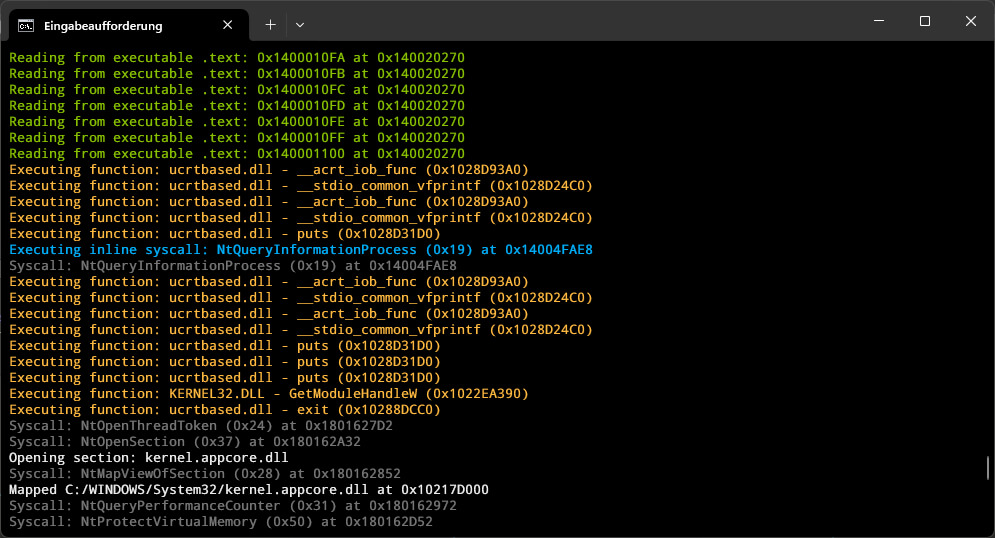
## Preview
## YouTube Overview
[](https://www.youtube.com/watch?v=wY9Q0DhodOQ)
Click here for the slides.
## Build Instructions
### Prerequisites
* Windows 64-bit (click [here](https://github.com/momo5502/emulator/milestone/1) for cross-platform status)
* CMake
* Git
### Getting Started
Clone the repository with submodules:
```bash
git clone https://github.com/momo5502/emulator.git
cd emulator
git submodule update --init --recursive
```
Run the following commands in an x64 Development Command Prompt
### Visual Studio 2022
```bash
cmake --preset=vs2022
```
Solution will be generated at `build/vs2022/emulator.sln`
### Ninja
Debug build:
```bash
cmake --workflow --preset=debug
```
Release build:
```bash
cmake --workflow --preset=release
```
## Dumping the Registry
The emulator needs a registry dump to run, otherwise it will print `Bad hive file` errors.
You can create one by running the src/grab-registry.bat script as administrator.
This will create a `registry` folder that needs to be placed in the working directory of the emulator.
## Running Tests
The project uses CTest for testing. Choose your preferred method:
**Visual Studio:**
- Build the `RUN_TESTS` target
**Ninja:**
```bash
cd build/release # or build/debug
ctest
```